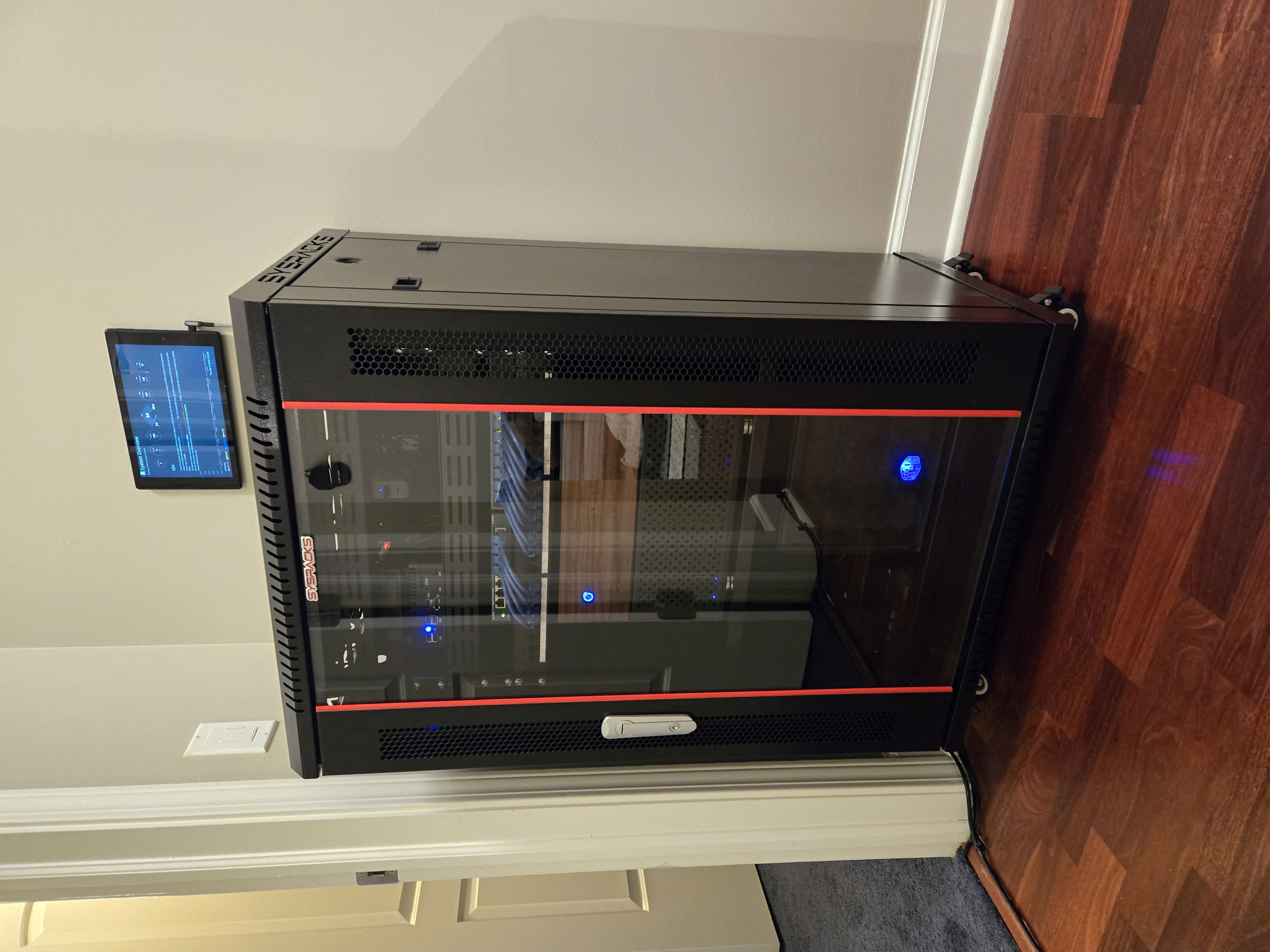
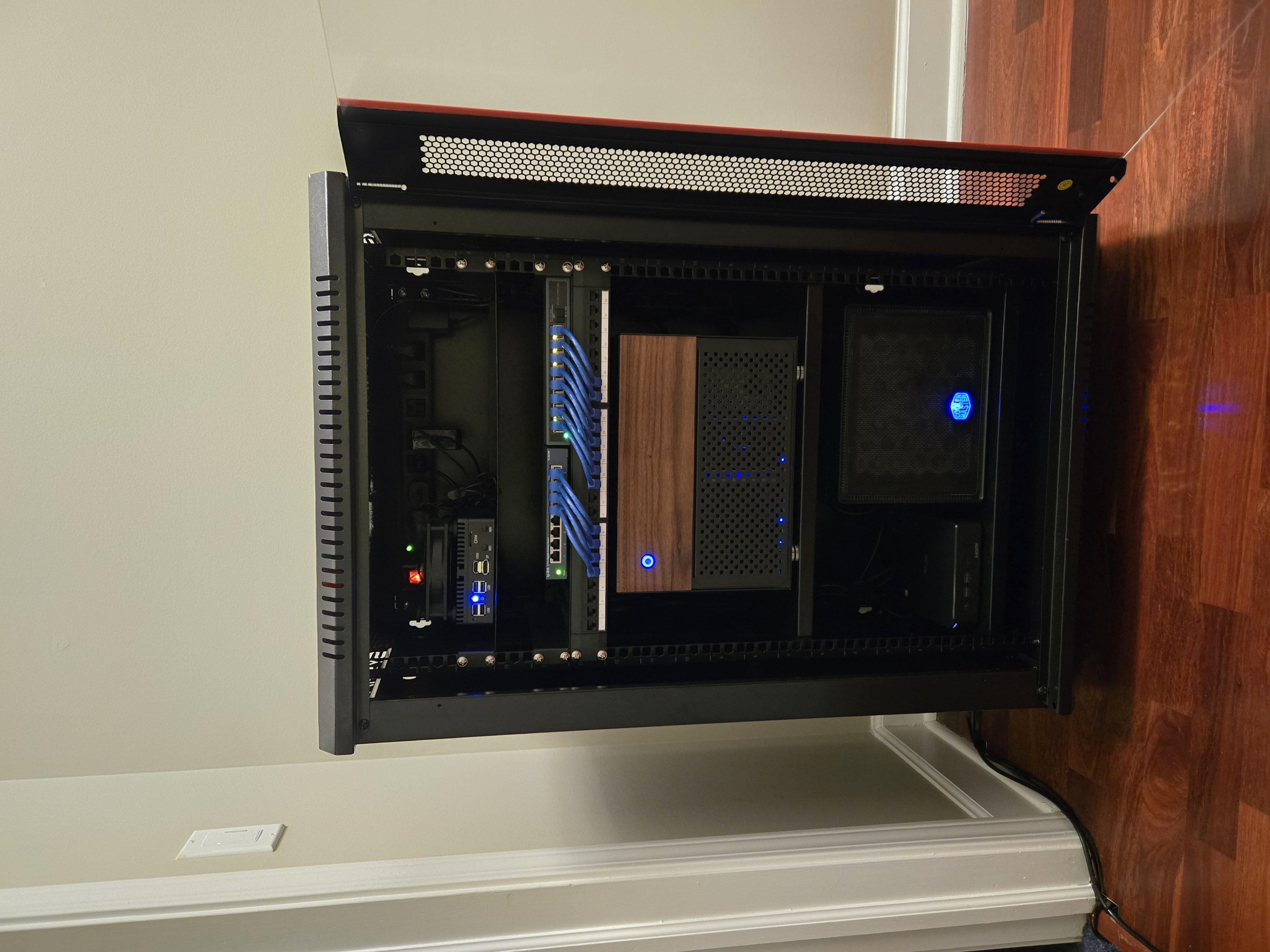
Home Lab Overview
This note is the index and guide for the whole Home Lab setup.
💡 Quick Navigation
🎯 Why do you need a home NAS?
Have you run into these pain points?
| Cloud Pain Point | Our Solution |
|---|---|
| 💸 Not enough iCloud/Google Drive space | 12TB+ local storage, store as much as you want |
| 📅 Monthly subscription costs add up | One-time investment, no monthly fee |
| 🐢 Slow file access when internet is bad | 1Gbps/10Gbps local network, fast file access |
| 🔒 Privacy concerns | Data stays at home, not exposed to cloud providers |
| 📱 Phone storage always full | Auto photo backup to NAS, less phone storage pressure |
| 🦠 Ransomware risk | ZFS snapshots allow quick rollback |
In short…
A NAS is like building your own private Google Drive / iCloud at home, but with:
- ✅ No monthly fees
- ✅ Much faster local transfer speeds
- ✅ Nearly unlimited capacity
- ✅ Full control of your privacy
💡 Use Cases
| Scenario | Description |
|---|---|
| 📷 Phone photo backup | Auto-sync phone photos; great Google Photos alternative |
| 🎬 Movie/TV library | Build a personal Netflix with Plex |
| 📁 Centralized file management | Keep family files in one place |
| 📱 Mobile app data hub | Use Nextcloud as a Google Drive alternative |
| 🏠 Smart home hub | Run Home Assistant locally |
| 📼 Camera recording | Use ZoneMinder or Scrypted for recording |
Goals
- Data ownership (photos, docs, media)
- Operability (observable, backupable, restorable)
- Service layering (separate storage and application layers)
- Secure external exposure (reverse proxy + HTTPS)
Architecture Summary
Core principle: TrueNAS focuses on storage; OMV focuses on services.
- TrueNAS = Storage Layer: Handles
ZFS, datasets, snapshots, and data protection. Only a small number of services that must stay close to data or hardware run here. - OMV = App Layer: Most daily services are deployed on OMV with
Docker, making installs, upgrades, rollbacks, and migrations easier and more consistent.
This separation keeps data safety and app changes independent, reduces coupling, and gives better flexibility for future expansion.
flowchart TD
    U["Users / LAN Devices"] -->|Service Access: UI & API| O["OMV<br/>App Layer<br/>Docker Services"]
    U -->|Data Access: SMB/NFS| T["TrueNAS<br/>Storage Layer<br/>ZFS / Dataset / Snapshot"]
    O -->|NFS / SMB / Rsync| T

    subgraph OMV_Services["Main OMV Services"]
        direction TB
        HA["Home Assistant"]
        TM["TeslaMate"]
        NPM["Nginx Proxy Manager"]
        DB["MariaDB"]
        BW["Bitwarden"]
        HA ~~~ TM
        TM ~~~ NPM
        NPM ~~~ DB
        DB ~~~ BW
    end

    subgraph TN_Services["Data-Close Services on TrueNAS"]
        direction TB
        PX["Plex"]
        IM["Immich"]
        NC["Nextcloud"]
        PX ~~~ IM
        IM ~~~ NC
    end

    O --- OMV_Services
    T --- TN_Services
Related infrastructure notes:
- TrueNAS: Storage and dataset management (Storage Layer)
- OpenMediaVault: Docker host and backup landing zone (App/Backup Layer)
🏠 Service List
TrueNAS (Storage Server) 🐳
| Service | Purpose | Description |
|---|---|---|
| Immich | Phone photo backup | Google Photos alternative |
| Plex | Media server | Personal Netflix |
| Nextcloud | File sync | Private cloud space |
| PhotoPrism | AI photo management | Smart photo search |
| FileBrowser | File manager | Web UI for file management and sharing |
| Rsyncd | Backup sync | Backup from TrueNAS to OMV |
| WebDAV | File transfer protocol | External access to NAS data |
Why keep some services on TrueNAS?
- Heavy data I/O performance: Services like Plex / Immich / Nextcloud frequently access large local datasets. Running them over NFS from OMV can add latency and reduce responsiveness.
- iGPU capability: The TrueNAS CPU (i3-1300T) is significantly stronger than OMV (G5400) for tasks like thumbnail generation and transcoding in Immich/Plex.
OMV (Service Compute Server) 🖥️
OMV is a separate physical machine used as the primary service compute node.
| Service | Purpose | Description |
|---|---|---|
| Home Assistant | Smart home hub | Integrates and automates IoT devices |
| TeslaMate | Vehicle analytics | Tesla driving and charging analytics |
| Nginx Proxy Manager | Reverse proxy | Domain forwarding and SSL management |
| MariaDB | Core database | Persistent storage for services |
| KaraKeep | AI web bookmarking | Capture, organize, and search web content |
| Calibre | eBook management | Library management and distribution |
| Bitwarden | Password manager | Self-hosted credential vault |
| Obsidian Sync | Note sync | CouchDB-based sync service |
| Baidu Disk | Cloud sync | 24/7 Baidu cloud download/sync |
| Authelia | Auth & access control | Login protection and 2FA |
📝 Note Index
Infrastructure Layer
Hardware
- TrueNAS - Storage server details
- OpenMediaVault - OMV app layer and backup strategy
Software
- nginx-proxy-manager - Reverse proxy and certificate management
- authelia - Authentication and access control
- mariadb - Core database service
Service Notes (To be completed)
- Immich
- Plex
- Nextcloud
- PhotoPrism
- Home Assistant
- TeslaMate
- Nginx Proxy Manager
- MariaDB
- KaraKeep
- Calibre
- Bitwarden
- Obsidian Sync
- Baidu Disk
🖼️ Home Lab Server Rack Photos